Why Won’t CapCut Make Me Auto Captions? Easy and Effective Fixes You’ll Love 2026
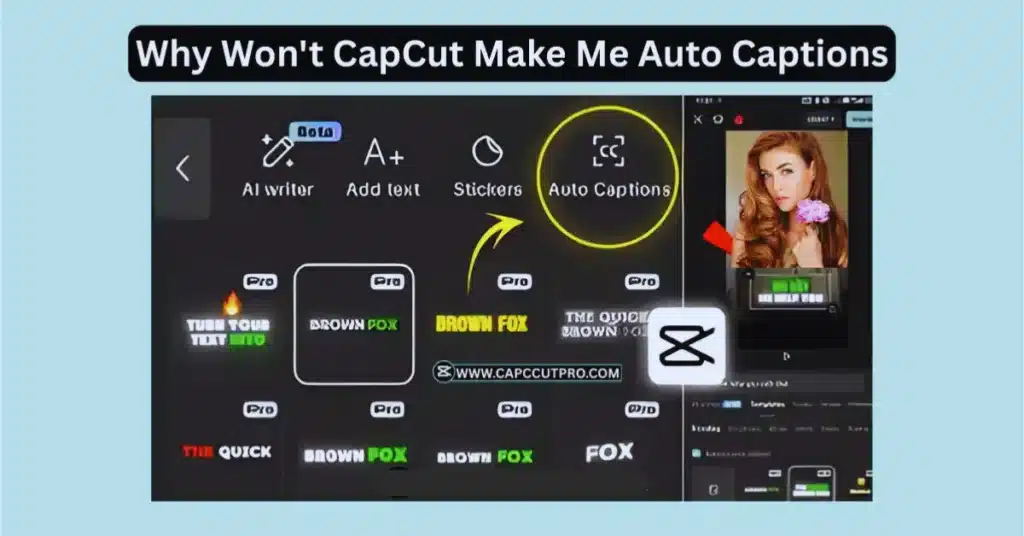
Many utilize auto-captions to be able to use less time, particularly Tik Tok, Reels, or YouTube videos. And honestly, when CapCut refuses to generate captions, it feels annoying because the feature usually works with one tap. But well, there are a few simple reasons why CapCut won’t make auto captions, whether you’re on Android, iOS, PC, or even using CapCut Pro APK or CapCut Mod APK versions.
Let’s break things down in an easy way.
1. Your Audio Volume Is Too Low
CapCut won’t create captions if it can’t detect clear sound.
Sometimes the audio is:
- too quiet
- muted in the timeline
- covered by background music
- trimmed incorrectly
Try checking the clip volume:
- tap the clip
- raise volume to 100% or more
- make sure nothing is muted
Sometimes this fix alone makes captions appear.
2. Unsupported Audio Format
Some audio formats don’t work well for caption detection, especially in older versions like CapCut Old Version or unofficial builds.
For example:
- recorded voice files with weird resolution
- downloaded audio from unknown sites
- broken audio clips
Try re-importing the original audio or converting it to MP3.
If you’re using CapCut Pro APK Download Latest Version, choose stable builds because some modded versions skip caption tools.
3. No Internet Connection
Well, auto captions use online processing.
So if your connection drops, CapCut can’t send the audio for transcription.
Check:
- Wi-Fi signal
- mobile data
- airplane mode
- VPN issues
Sometimes just restarting the app after reconnecting fixes it.
4. You’re Using an Older CapCut Build
Auto captions sometimes fail on:
- CapCut Old Version
- outdated Android/iOS CapCut
- older CapCut for PC installers
The transcription engine changes often, so older versions simply can’t process sound anymore.
Updating usually restores everything:
- CapCut for Android
- CapCut for iOS
- CapCut for PC
- CapCut for Mac
The latest builds have more stable caption engines.
5. Language Isn’t Supported
CapCut supports many languages, but not all. If your audio is mixed, has slang, or switches languages, the app may refuse to generate captions.
Examples that may fail:
- mixed English + local language
- heavy background noise
- music with unclear lyrics
Try setting the language manually before generating captions.
6. Corrupted Cache Files
CapCut stores a lot of temporary files.
Sometimes the cache gets messy and breaks features like auto captions.
Quick fix:
- open CapCut settings
- tap Clear Cache
- restart the app
On PC, you can also clear the assets folder inside CapCut’s directory.
7. Using CapCut Mod APK With Disabled Features
Some modded versions of CapCut Pro APK or CapCut Mod APK remove online features so people can use unlocked tools offline. This often breaks auto captions completely.
If captions matter to you, use a stable or official build.
8. Microphone Permission Issues (For Live Caption Recording)
In case you are directly recording voice in CapCut and you still cannot see captions, then the app might be preventing the use of the microphone.
Check:
- Android App Permissions
- iOS Settings → Privacy → Microphone
Turn on microphone access for CapCut.
Conclusion
If CapCut won’t make you auto captions, it’s usually because of simple reasons like low audio, no internet, unsupported files, or an outdated version. Once you fix these basic issues, the caption generator normally works smoothly again. Regardless of whether you are using the CapCut Android, CapCut iOS, CapCut PC, or CapCut Pro APK, just test the small checks above, and the feature ought to come back.
One of the most beneficial tools of editing is auto captions, and, therefore, it is quite easy to imagine that keeping everything updated helps to facilitate the entire process considerably.
FAQs
1. Why do auto captions stop working suddenly in CapCut?
Usually because of connection issues, old versions, or corrupted cache. Updating or restarting the app helps a lot.
2. Do auto captions work in CapCut PC?
Yes, but only on the latest versions. Older PC builds sometimes fail to load the caption engine.
3. Why does CapCut say “Audio Not Supported”?
It happens when the audio file is broken or uses an unusual format. Try re-adding it or converting to MP3.
4. Does CapCut Pro APK improve caption accuracy?
Not always. Some mod versions actually break online tools, including captions.
5. Can background music block captions?
Yes. If music is too loud, CapCut cannot detect the main voice clearly.
6. Do I need internet for auto captions?
Yes, CapCut processes the voice online. No internet = no captions.